Code! - My own game week 2
2026/10/30
2026/10/30
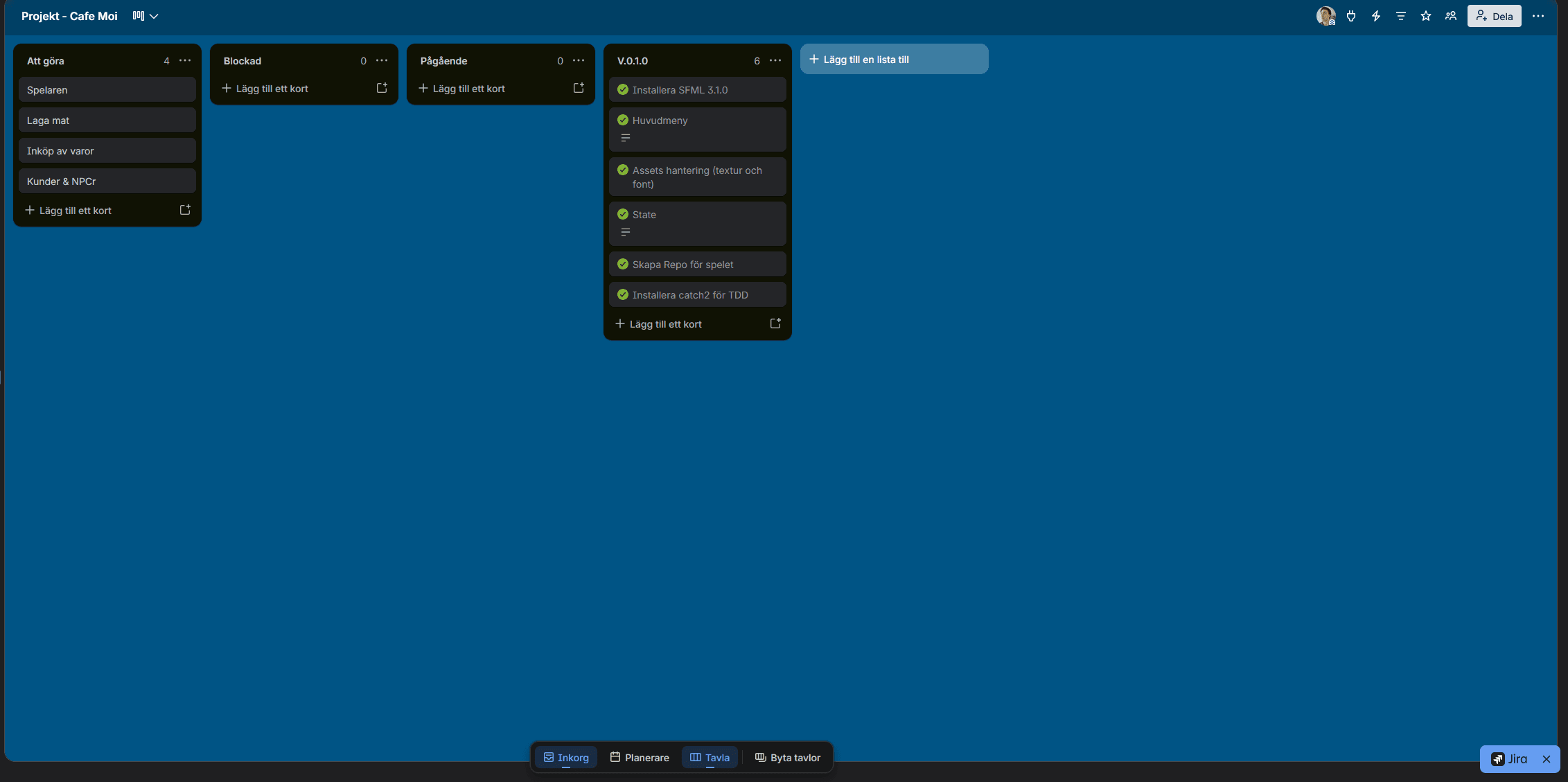
Like many things in life, planing helps. And for my game I believe that surely helps. Through work I'm used to SCRUM-workflows in agile team, so I'm working in a simular fashion. The difference here is that I'm the PM and the developer on this project, which is new for me. I keep track of things on a trello board, to help me scope things out and keep track of what I'm doing. I put things in a version section, so I have an idea of what the particular version will include. I've already completed some things, but most importantly I now have some essentials things that I need: Input handling, assets handling and a state-manager.
I decided to first get some boring but essentials things out of the way, which are assets and input handling. A game really needs both obviously, because otherwise we can't really see any fancy sprites or even interact with the game. The input manager was the first one to be implemented.
A game engine, in essence, is a piece of software that does something by input and gives an output based on the input, repeatedly and very fast. Now in a game, users really like to use their fancy keyboards and clicking on their dusty old mouse. In order to handle that, I created a central hub I call the InputManager. Unsurprisingly, it manages the input. It does a couple of things. It stores current/previous state of the keyboard and mouse, and updates repeatedly. The manager does not really call on any game mechanics, it only stores state and someone else elsewhere can do whatever they want with that state. I only support keyboard and mouse for now, but I'll probably add support for game-pads in the future.
class InputManager{std::vector<sf::Keyboard::Key> m_currentKeys;std::vector<sf::Keyboard::Key> m_previousKeys;void updateKeyboardInfo();sf::Vector2i m_mouse;std::vector<sf::Mouse::Button> m_currentMouseButtons;std::vector<sf::Mouse::Button> m_previousMouseButtons;void updateMouseInfo(const sf::WindowBase& window);public:InputManager();void update(const sf::WindowBase &window);bool isKeyDown(sf::Keyboard::Key key) const;bool wasKeyDown(sf::Keyboard::Key key) const;bool wasKeyJustPressed(sf::Keyboard::Key key) const;bool wasKeyJustReleased(sf::Keyboard::Key key) const;sf::Vector2i &getMouse();bool isMouseButtonDown(sf::Mouse::Button btn) const;bool wasMouseButtonDown(sf::Mouse::Button btn) const;bool wasMouseButtonJustPressed(sf::Mouse::Button btn) const;bool wasMouseButtonJustReleased(sf::Mouse::Button btn) const;};
So how do I use this thing? Well, I have a game class called "Cafemoi", which I guess is the name of the game right now. I created a simple render loop which constantly call on updates.
void Cafemoi::update(){m_input.update(m_window); // <-- INPUT UPDATES...}
Why do the input needs the window though? Because of the mouse-pointer! The position of the mouse is relative to the window, that's why.
Having input, I wanted to make a main-menu. Why creating a main-menu when there's not even a game yet? The reason for me was that I knew that the menu requires assets (textures and fonts) as well as input handling. I also know, that my game will eventually require a menu. This means, my game needs to keep state of "playing state" and "menu state". This is a quite important step for my tiny little engine to handle, so I want to have all these things out-of-the-way first. Luckily there's a solution for this, called a state machine!
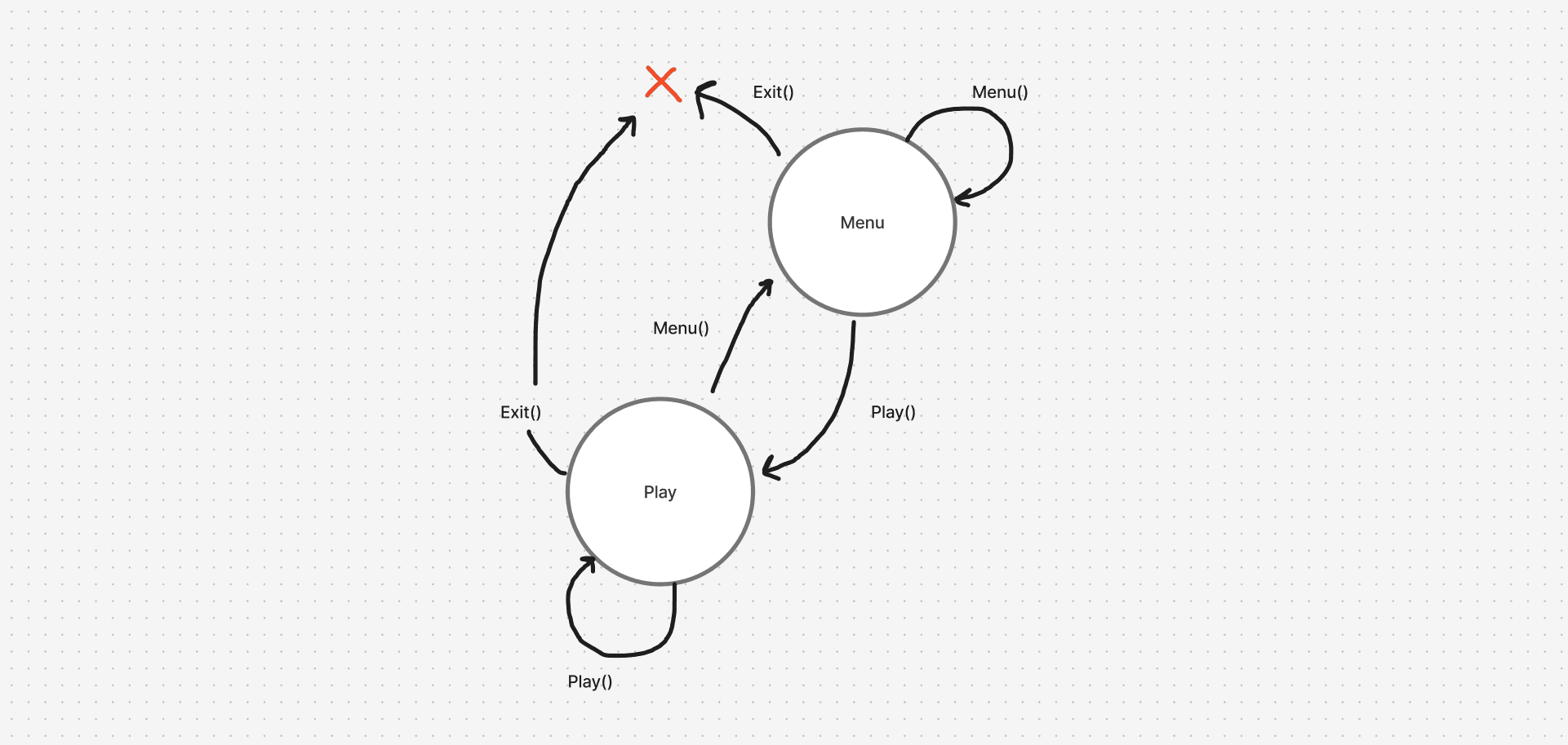
As you can see on my beautiful drawing here, I only currently have two states. The "Menu" state and the "Play" state. Each state (these two) have actions which are currently "Menu()", "Play()" and "Exit()". So if I'm in the Menu circle, and call on "Play()", I will move to the "Play" state. If I for some reason call on "Menu()" while being in the menu already, then I'll stay in the menu. On exit, both states will currently exit the game completely.
Now I've red the book "Head first design patterns", which talks about different patterns in software. You could say that we're now implementing the State pattern for this, but I did not want to complicate things already, so I implemented a "sort-of" state pattern into my game.
class Cafemoi{State m_state;std::unique_ptr<Menu> m_menu;std::unique_ptr<Play> m_play;(...)public:Cafemoi();void exit();void menu();void play();void update();void draw();void run();(...)};
The Cafemoi class (basically the game class) stores the current state as enum. It then holds pointer references of each state, currently the menu state and the play state. Initially, these will be ``nullptr``, meaning they point to nothing. The reason I do this is because I want to initialize them when I actually need to. On construction, the game will default to the MenuState. The game engine calls on two key functions every tick repeatedly: Update and Draw (in that order). That's the engine, and the implementation of these looks like this:
void Cafemoi::update(){m_input.update(m_window);if (m_exit == true){m_window.close();return;}if (m_state == MenuState){m_menu->update();} else if (m_state == PlayState){m_play->update();}}void Cafemoi::draw(){if (m_state == MenuState){m_menu->draw();}else if (m_state == PlayState){m_play->draw();}else{m_window.clear();m_window.display();}}
Right now, I simply check what state we're currently in, and then call on the states draw() and update() function. It's a bit crude, but it works for now. Changing state is quite easy for me! I essentially check if the state already has been initialized (and if not I initialize it), then I assign the current state enum with the corresponding enum. That's pretty much it.
void Cafemoi::menu(){if (m_menu == nullptr){m_menu = std::make_unique<Menu>(*this);}m_state = MenuState;}void Cafemoi::play(){if (m_play == nullptr){m_play = std::make_unique<Play>(*this);}m_state = PlayState;}
To do the actually switch, I store a reference of the game in each state, then call the corresponding method of the game. For example, here I show the exit() and the play() method inside the Menu state. When the user presses the "Play" button, it will call on the game to run the ".play()" method. On exit, it will simply call the ".exit()" method. With the input-manager I created earlier, I can detect if the user has pressed the left-mouse button (LMB) and if it's in a button or not.
void Menu::update(){auto& input = m_cafemoi.getInput();if (input.wasMouseButtonJustReleased(sf::Mouse::Button::Left)){auto& point = input.getMouse();if (m_playButtonBounds.contains(point)){m_cafemoi.play();} else if (m_exitButtonBounds.contains(point)){m_cafemoi.exit();}}}
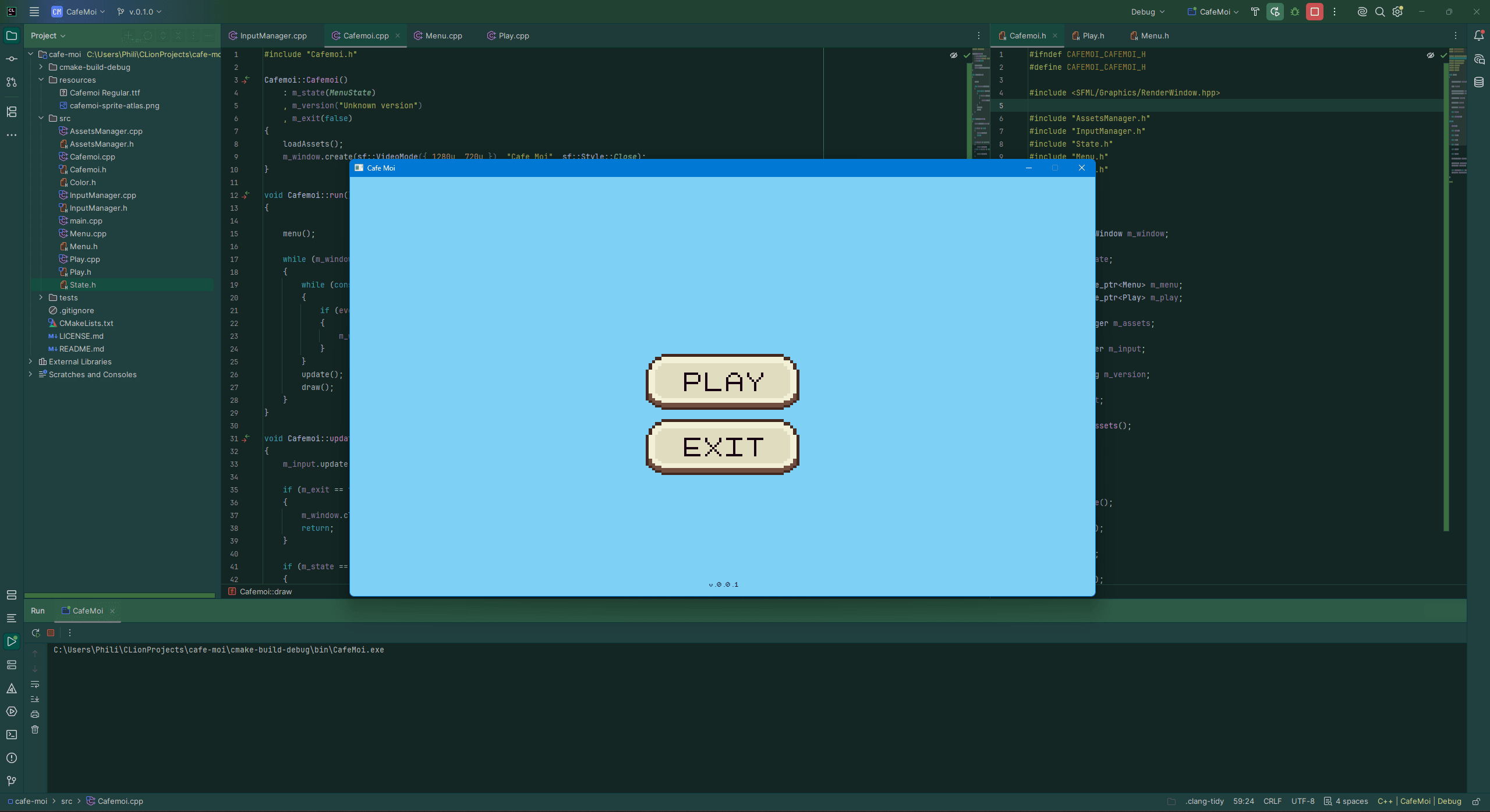
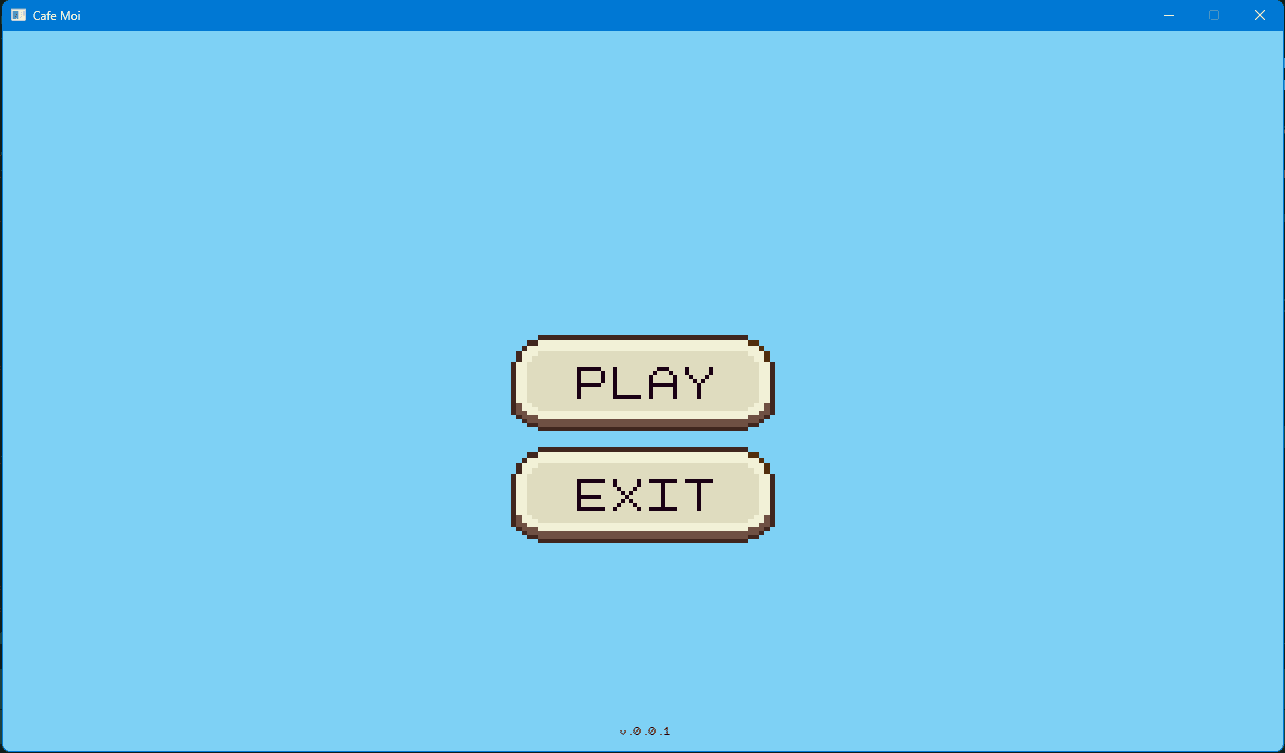
The result is a functioning main menu, and I can now initiate the game! The menu is very simple for now, but I just wanted something that works. I also wanted to try to implement my own UI based on the sprite-atlas I made last-week. The font that you see, is my own font that I made called "Cafe Moi.ttf".
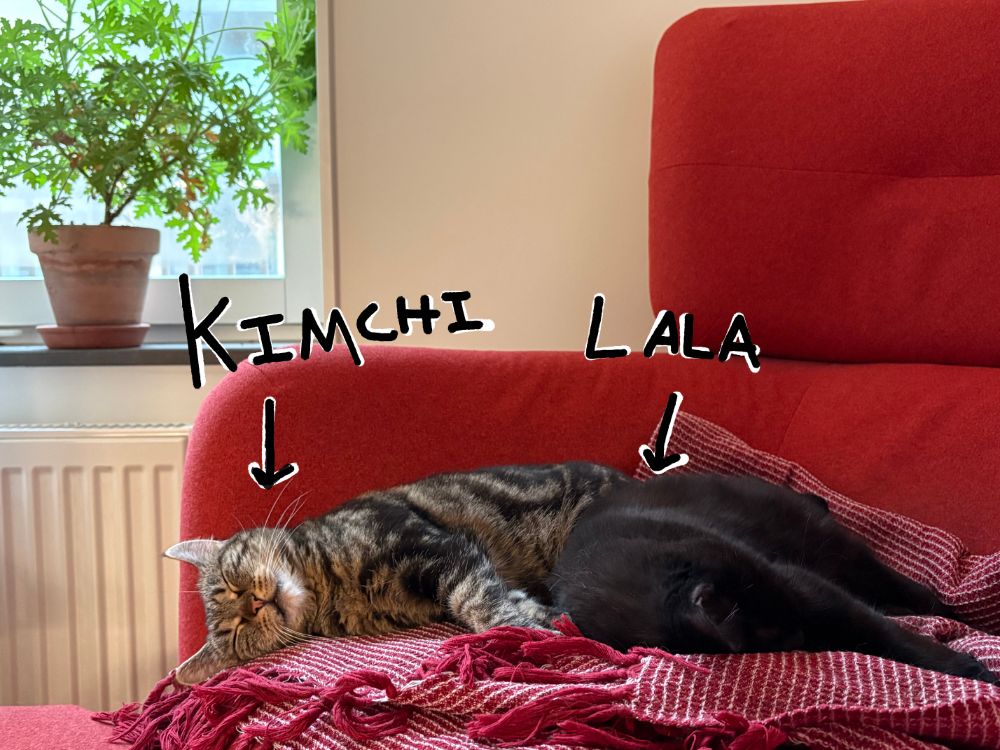
Next week, I'll be focusing on the player, so we can actually control something. Something unrelated to this project, is that we also got cats now. I view them as my employees now, and they currently work for free. They're terrible at coding however.